Download · TradingSDK Forge
Your trading app starts in Forge.
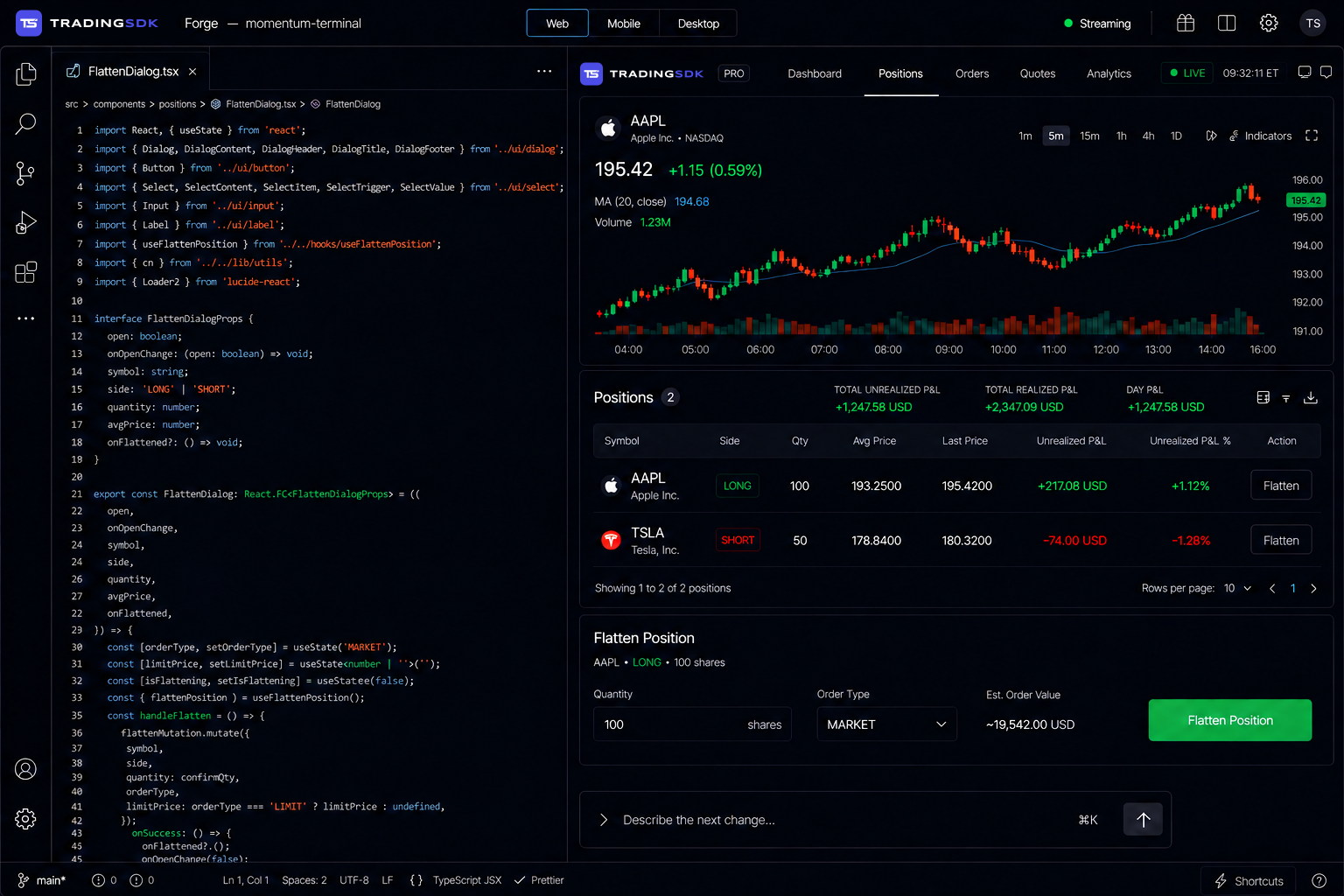
Describe the trading app you have in mind and build it with the AI Assistant. Forge brings your conversation, code, and app preview together in one desktop workspace.
Download
At home on your computer.
Forge is coming to macOS, Windows, and Linux. Build on your computer and keep using the tools you know.
macOS
Apple silicon and Intel
Coming soonWindows
Windows 11 and Windows 10
Coming soonLinux
Debian, Ubuntu and Fedora
Coming soonDownloads will be available through early access first. Join the waitlist and we'll let you know when Forge is ready for your computer.
Web, mobile, and desktop
One project. More ways to reach your users.
Build for the devices your users prefer. Each version of your app connects to the same accounts, trading services, and market data.
TradingSDK Forge
One project, described in plain language
Web
In your browser
Mobile
iOS and Android
Desktop
On your computer
Shared trading services
Accounts, orders, portfolios, risk checks, and market data
How it works
Start with an idea. Build it together.
Describe what you need, review the result, and keep refining. You guide the process and keep the code.
Share your idea
Tell Forge what you want to build, who it's for, and what they need to do.
Watch it build
The AI Assistant builds your app using TradingSDK's charts, trading tools, and services.
Make it your own
Ask for changes to the design and features, or edit the code yourself.
Bring it to your users
Prepare web, mobile, and desktop versions from one project, with hosting through TradingSDK.
Share your idea
Tell Forge what you want to build, who it's for, and what they need to do.
Watch it build
The AI Assistant builds your app using TradingSDK's charts, trading tools, and services.
Make it your own
Ask for changes to the design and features, or edit the code yourself.
Bring it to your users
Prepare web, mobile, and desktop versions from one project, with hosting through TradingSDK.
Inside Forge
A workspace built around trading.
Forge brings trading tools, AI assistance, and a live preview into one place to help you build your app.
An assistant that knows trading
Ask for an order form, a portfolio view, or a trading report. Forge connects the screen to the services it needs.
Trading tools ready to use
Start with charts, watchlists, order forms, and portfolio views that connect to TradingSDK data.
See your app take shape
Preview the app as you build, try out changes, and see how the design and features work together.
Connected from the start
Forge builds on TradingSDK's services for accounts, market data, orders, risk, and reporting.
Your code, your choice
Your project lives on your computer. Open it in another editor, save it to your own repository, or invite your team to work on it.
Build and publish in one place
Set up a custom domain, host your web app, and prepare mobile and desktop versions from Forge.
Why we're building Forge
A good idea deserves a chance to become a trading app. We're building Forge to help smaller teams bring their ideas to life with the trading tools and services they need.
Start with the essentials
Build on services for orders, risk checks, accounting, and market data, so you can focus on the features your users need.
The code stays yours
Open, read, and edit the code Forge creates. Choose your own tools and work with your team as your project grows.
Keep your users connected
Give traders, analysts, and clients access to the same product on the devices that suit them.
Be among the first to build with Forge.
Join the waitlist and we'll let you know when you can download Forge.